Microcontroller-Based Analog Data Logger Interface
We developed a Windows 10 interface in Python for a microcontroller-based analog data logger with a wired connection to a computer. The program may be run directly by launching Microcontroller_Based_Analog_Data_Logger_Interface.pyw or, naturally, by executing the following command.
$ python Microcontroller_Based_Analog_Data_Logger_Interface.pyw
Our interface is not real-time (beyond the sense that serial communication is not real-time). The logged data is plotted only after it is collected, not as it is collected. We are attempting to add this capability. Alternatively, or as a temporary workaround, we are adapting/using the Arduino IDE serial plotter and others.
The interface prompts you to connect the microcontroller (via USB) such as an Arduino if it has not already been connected, notifies that the device was connected, reads from the device over serial communication, and finally notifies that the device was disconnected (all Subsection 2). It then prepares the collected analog data (Subsection 3). Lastly, it makes the results accessible through a .CSV file generated in your working directory as well as an interactive, in-browser plot with export options (Subsection 4).
These features can be broken down by going through its library imports as follows.
1. Library Imports in Order of Appearance
The user is to at least be notified that the data logger was connected and disconnected (via USB). win10toast by Jithu Jacob is a Python library (PyPI, GitHub) for displaying Windows 10 toast notifications.
from win10toast import ToastNotifier
On the other hand, plyer.notification shows new notification senders for every notification sent.
For reasons that will become apparent, timer functionality is to be used. time is a standard Python library (Python documentation) for time access (and conversions, for that matter).
from time import time
To read from the data logger, serial communication is to be used. pySerial by Chris Liechti is a Python library (PyPI, GitHub, documentation) that encapsulates access to computer serial ports, including emulated ones such as those created by USB.
from serial import Serial
The received analog data is to be prepared before being made accessible.
import numpy  as np
import pandas as pd
pandas, for instance, can be used to calculate a moving average to smooth the data.
The prepared data is to be made accessible through an interactive, in-browser plot. plotly by the technical computing company of the same name is a Python library (PyPI, documentation) used to style interactive graphs.
import plotly.graph_objects as go
2. Minimal User Interface | Reading from the Data Logger
To start with, initialize an instance of the toast notifier class using a memorable name:
toaster = ToastNotifier()
This class has a show_toast method which is to be used. Among other arguments, it accepts a notification title, a notification msg, and an optional boolean specifying whether or not the showing of the notification (in its entire duration) is to be threaded (reference) with further Python instructions in this module (which calls show_toast). We found that the notification message itself (not its title) is actually optional, being truly omitted by specifying msg to be a non-empty ‘empty’ string such as ' '. Method show_toast returns a boolean representing whether a notification is sent successfully or not (i.e., if one is already being shown, at least from Python). We also found that initializing multiple instances of the ToastNotifier class does not allow multiple corresponding notifications to appear simultaneously in the same way.
Now, specify the chosen 9600 / 8-N-1 serial communication (COM) port:
port = 'COM4'
Try to open this serial port with the assumption that the data logger has been connected to the computer via USB:
try:
│   ser = Serial(port)
If Serial cannot open the specified port (i.e., if the above assumption was incorrect), it raises a SerialException error, which is caught (handled) by the following to-be-completed block of code.
except:
Now, we assume the general case that a system notification may already be present.
As such, keep trying to…
show the user a prompt to connect to the microcontroller-based data logger, or
open the serial port assuming that the device has since been connected,
whichever happens first (that is, whichever the program encounters first):
│   while True:
│   │
│   │   if toaster.show_toast('Connect to the microcontroller via USB', ' ',
│   │   │                     threaded = True):
│   │   │   break
│   │
│   │   try:
│   │   │   ser = Serial(port)
│   │   │   break¹
│   │   except:
│   │   │   pass
¹ This break will not be reached unless the previous line, ser = Serial(port), succeeds.
At least in this context, break and pass specifically mean ‘stop trying’ and ‘skip error handling’, respectively.

\(\uparrow\) The first possible notification.
The device may have been connected by this point, in which case the connection prompt would be withheld.
Now, check if the ser object is defined (i.e., if the serial port was opened):
│   try:
│   │   ser
If not, keep trying to open the port assuming that the device will be connected:
│   except:
│   │
│   │   while True:
│   │   │
│   │   │   try:
│   │   │   │   ser = Serial(port)
│   │   │   │   break
│   │   │   except:
│   │   │   │   pass
The data logger has been connected by this point, with or without a prompt to the user.
A notification that the device was connected is to be sent. We assume that an arbitrary notification may already be present, including but by no means limited to the connection prompt from before. If this is the case, it would delay the notification that the device was connected until ‘timing out’ (for lack of a better term). With this kind of notification, the user should know the time since its corresponding event actually occurred.
As such, start a ‘timer’ (i.e., log the current time connected_tick):
connected_tick = time()
Subsequently,
keep updating the suspected end time
connected_tockand the elapsed time calculated from it,keep trying to show a notification that the microcontroller-based data logger was connected and of how long ago this event actually occurred,
andkeep checking if the serial port can be read from (i.e., if the device was not since disconnected),
all until the notification is sent:
while True:
│
│   connected_tock = time()
│   connected_time = connected_tock - connected_tick
│
│   if toaster.show_toast('Microcontroller connected %.1f seconds ago'
│   │                     % connected_time,
│   │                     'Starting now, you may disconnect',
│   │                     threaded = True):
│   │   break
│
│   try:
│   │   ser.readline()
│   except:
│   │   try:
│   │       disconnected_tick
│   │   except:
│   │       disconnected_tick = time()

\(\uparrow\) The second possible notification.
The user would be ‘permitted’ to disconnect the device as soon as it is connected if the previous busy waiting while loop is manually (albeit awkwardly) threaded with the upcoming data logging one, or if done using the threading standard Python module (documentation) instead. However, the user should know not when the device is simply plugged in (as they do and need not be notified), but when the serial communication link is established soon thereafter.
Now, initialize an empty list of lines to be read from the serial port, assuming that it is still open:
lines = []
Keep trying to read ASCII characters from the serial port, and add them to the list of lines thereof, until the port is no longer open (i.e., until the device is disconnected):
while True:
│
│   try:
│   │   lines.append(ser.readline())
│   except:
│   │   break
Now, check if a variable disconnected_tick is already defined (i.e., if the device was disconnected while waiting to send the previous notification):
try:
│   disconnected_tick
If not, start another ‘timer’ (i.e., log the current time disconnected_tick):
except:
│   disconnected_tick = time()
Keep trying to show a notification that the microcontroller-based data logger was disconnected, and of how long ago this event actually occurred:
while True:
│
│   disconnected_tock = time()
│   disconnected_time = disconnected_tock - disconnected_tick
│
│   if toaster.show_toast('Microcontroller disconnected %.1f seconds ago' % disconnected_time, ' ', threaded = True):
│   │   break

\(\uparrow\) The third possible notification.
3. Preparing the Collected Analog Data
See the following numbered, broken-down block of code.
Now,
Trim the last two line-ending ASCII characters: line feed <LF>
b'\n'and carriage return <CR>b'\r'.Typecast (convert) the remaining ASCII characters from a byte literal to a float.
Do the above for all lines but the first one, which may have been cut off.
This is a list comprehension.From the list, construct a NumPy
ndarray, \(y\), which is a time series of logged data.Reference: numpy.ndarray.
Reference: The N-dimensional array (ndarray).
1.  #                   line[:-2]
2.  #             float(│       │)
3.  #            [│              │ for line in lines[1:-1]]
4.  y = np.array([float(line[:-2]) for line in lines[1:-1]])
Specify the scalar time interval between data points and generate a time array, \(t\), corresponding to them:
Dt = 10e-3

t = np.arange(len(y)) * Dt
Specify a moving average window and use it to smooth the data:
window = 5

y_smooth = pd.Series(y).rolling(window, center = True).mean().to_numpy()
4. Making the Results Accessible
Firstly, export the prepared data to a CSV file for reference:
np.savetxt('data.csv', y, fmt = '%.2f')
Secondly, plot the data points using the Plotly graphing library:
data = go.Scatter(x = t, y = y_smooth)

fig = go.Figure(data)

fig.update_layout(xaxis_title = 'Time in Seconds', yaxis_title = 'Logged Data')
fig.update_layout(title = 'Logged Data')

fig.show()
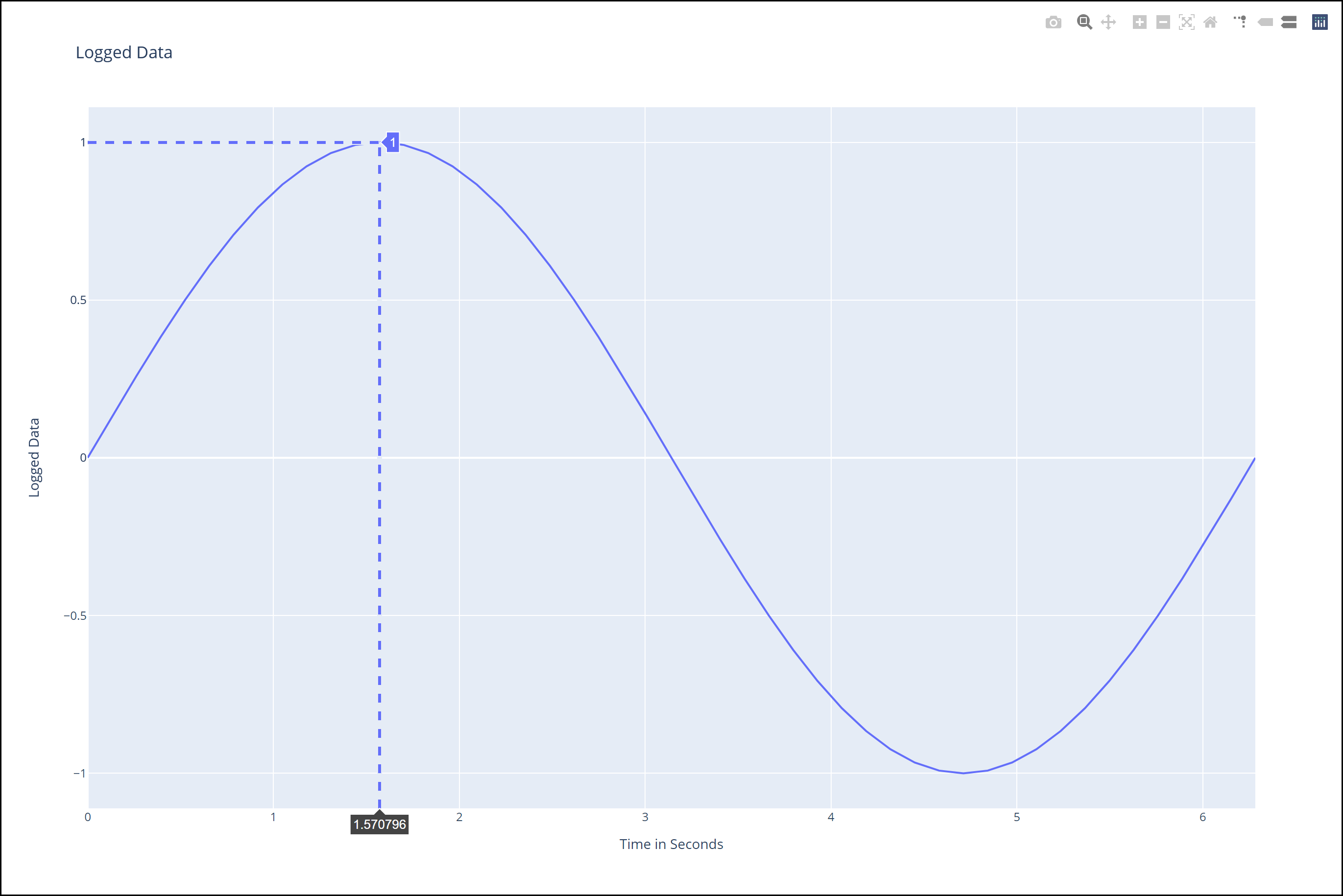
This marks the end of the program.
Appendix
Optional refactor 0:
Use
try-except-elseand/ortry-except-finallyblocks.
Optional refactor 1:
1  try:
2  │   ser = Serial(port)
3  except:
4  │   ...
to
1  from serial.tools.list_ports import comports
2
3  if port in [comport.device for comport in comports()]:
4  │   ser = Serial(port)
5  elif:
6  │   ...
However, between lines 3 and 4 above, the serial port might become unavailable, in which case Serial would throw an uncaught SerialException error.
Optional refactor 2:
1  try:
2  │   ser.readline()
3  except:
4  │   ...
to
1  from serial.tools.list_ports import comports
2
3  if port not in [comport.device for comport in comports()]:
4  │   ...